Papelvio: offline PDF scanning for privacy-focused Android users
Papelvio captures paper documents with high-quality mobile scans, converts them to PDF, and keeps every file on the device for offline use. Built by BunkerNode Labs as an Android utility, the app processes images entirely locally and generates native PDFs without network access. It highlights privacy-first operation and a small resource footprint, making it suited to students, legal professionals, and anyone handling confidential paperwork on a mobile device.
What Papelvio does during capture
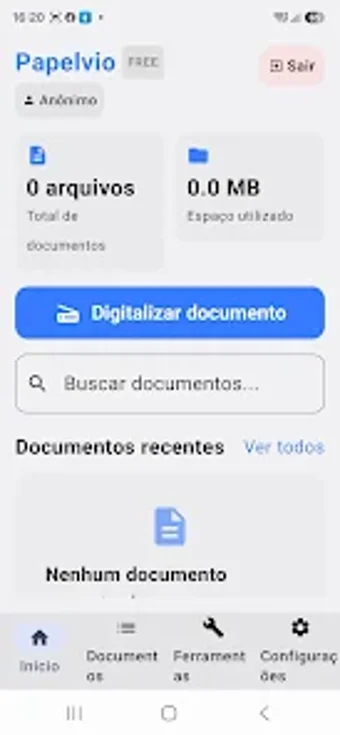
The app takes camera images and converts them into standard PDF files on the device. It supports capture of contracts, receipts, notes, and book pages, then runs the conversion natively to produce high-quality PDFs stored in local storage. Scans are available through the app's local document history, so users can retrieve previous files without relying on online services.
Does it slow down your system during a scan?
Papelvio is described as lightweight and optimised for battery life, so it is intended to run without heavy resource use on Android devices. Because all processing occurs on-device, peak CPU and storage activity occur during the capture and PDF generation steps, but the architecture aims to minimise background consumption and avoid continuous network activity while scanning.
Is it safe to use on sensitive documents?
The tool operates completely offline with zero data collection and no cloud uploads, which means scanned content never leaves the phone's internal storage. That design reduces exposure to third-party servers and eliminates upload vectors. The app's privacy focus targets users who must keep legal or personal paperwork off the network during digitization.
Do I need technical knowledge to operate it?
The app centres on a minimalist, ad-free experience focused on essential scanning tasks. The workflow emphasises capture, immediate PDF creation, and local organisation through the built-in document history. Users should be able to complete common scan-to-PDF tasks without advanced skills, while those who want more control can work within the straightforward on-device options provided.
Who should use Papelvio and when
The app is a practical pick for privacy-conscious users who need reliable, offline document digitization and local file management on Android. Expect a focused tool that avoids cloud exposure and keeps storage local; plan scans while the device is charged to limit any temporary CPU load from on-device processing. Recommended.